
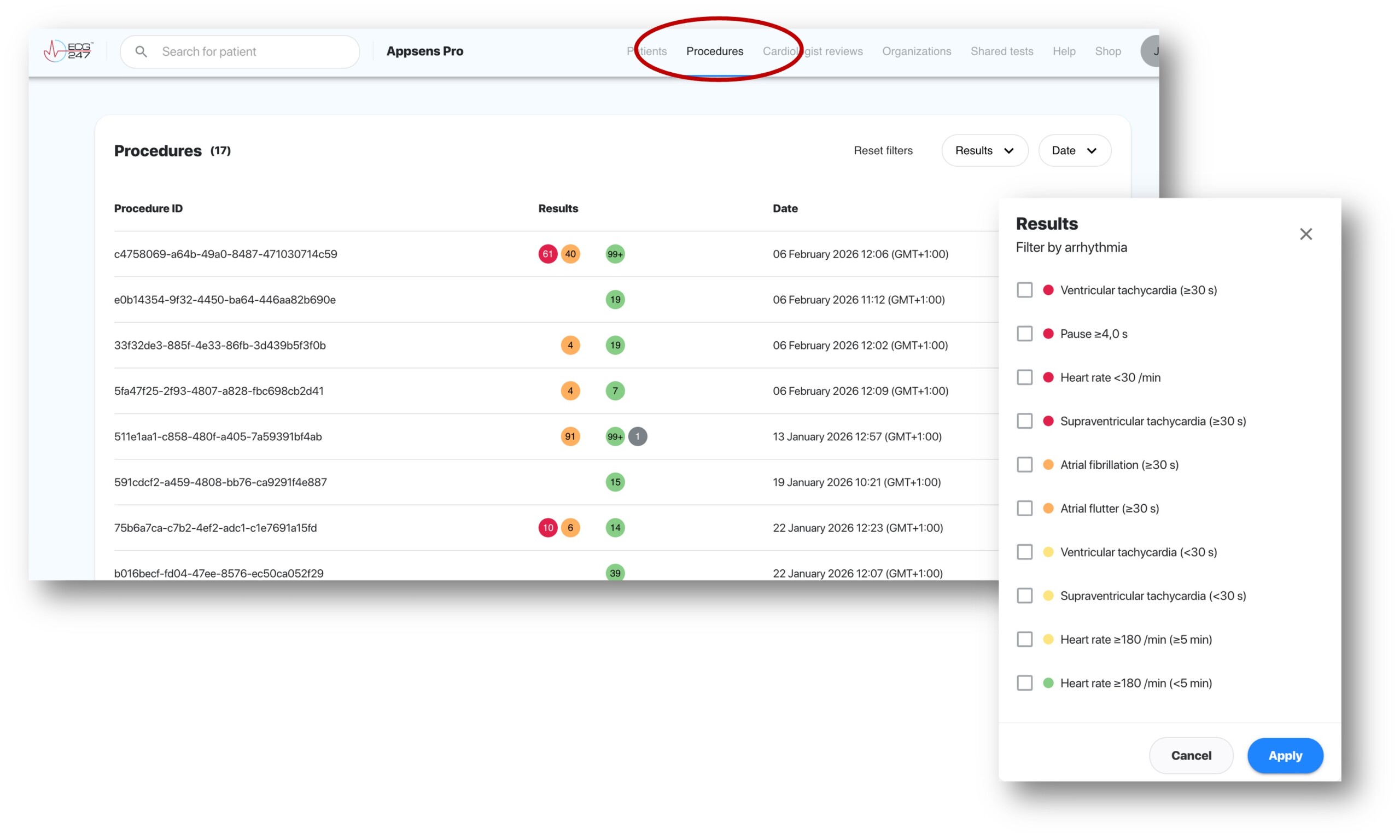
We are proud to present our latest feature in the ECG247 portal: Procedures. This update is designed to provide healthcare professionals with a more efficient workflow and an immediate overview of patient tests based on specific clinical findings.
With the new procedure list, managing large volumes of test data becomes significantly easier. Instead of accessing each individual patient record, you can now view all performed procedures in one centralized view and sort them by the criteria that matter most to you.
What’s New?
The most important update in this overview is the advanced filtering function. By clicking on «Results,» a menu appears that allows you to filter the list based on specific arrhythmia types and severity.
Key features of the new overview:
-
Arrhythmia Filtering: Quickly find all tests containing, for example, Atrial Fibrillation, Ventricular Tachycardia, or Pauses.
-
Date Sorting: Organize tests chronologically to keep track of the past week’s or month’s activity.
-
Visual Status: Color-coded indicators provide immediate notification of findings in each test, allowing the most critical cases to be prioritized first.
-
Direct Access: Click directly into specific procedures from the list for detailed analysis.
Better Overview, Faster Decisions
The goal of the new procedure overview is to save time for clinicians. By being able to identify all tests with specific arrhythmias in a single search, it becomes easier to perform quality assurance and ensure that patients with serious findings are followed up promptly.
«This feature is a direct response to feedback from our users who requested a better way to handle multiple tests simultaneously. Now, you can go from hundreds of results to the exact cases you’re looking for in seconds.»
How to Get Started
Log in to your account and select the «Procedures» tab in the top menu. You will find the new list ready for use.