
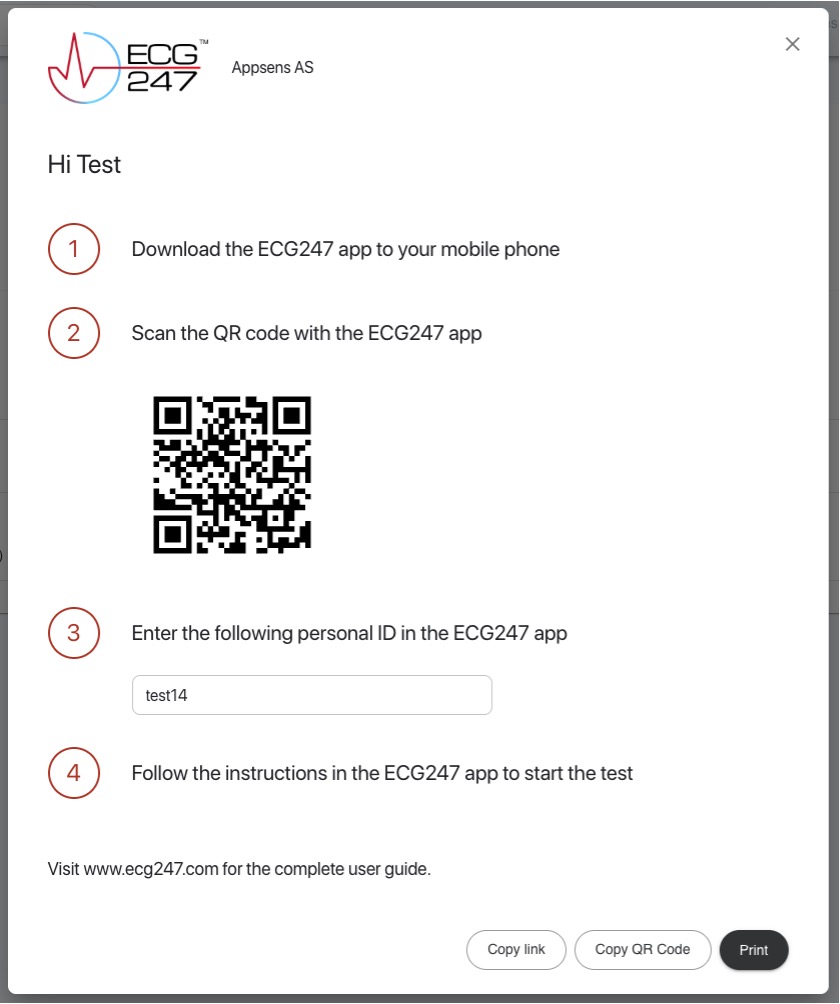
To ensure everyone gets started quickly with their ECG247 measurement, we have updated the view when you scan the QR code or receive startup instructions. You will now find a simple, step-by-step user guide directly alongside the QR code.
What’s New?
When the QR code is generated, you now get a clear overview of the four simple steps to start the test:
-
Download the app: Download the ECG247 app to your mobile phone.
-
Scan the code: Scan the QR code directly with the ECG247 app.
-
Enter personal ID: Enter your assigned personal ID in the app.
-
Start the test: Follow the further instructions in the app to start the test.
Tailored for Both Patients and Healthcare Professionals
The new view makes it easier than ever for healthcare professionals to print or share the startup instructions with their patients. With features to copy the link, copy the QR code, or print the document with a single click, the process is seamless for everyone involved.